Personal projectPersonal site (boyanspace.com)
Project details that do not fit on the résumé, built into a personal site that can be questioned directly
Project details that do not fit on the résumé are written up here; to ask directly, the Q&A entry is at the bottom right.
Original screens
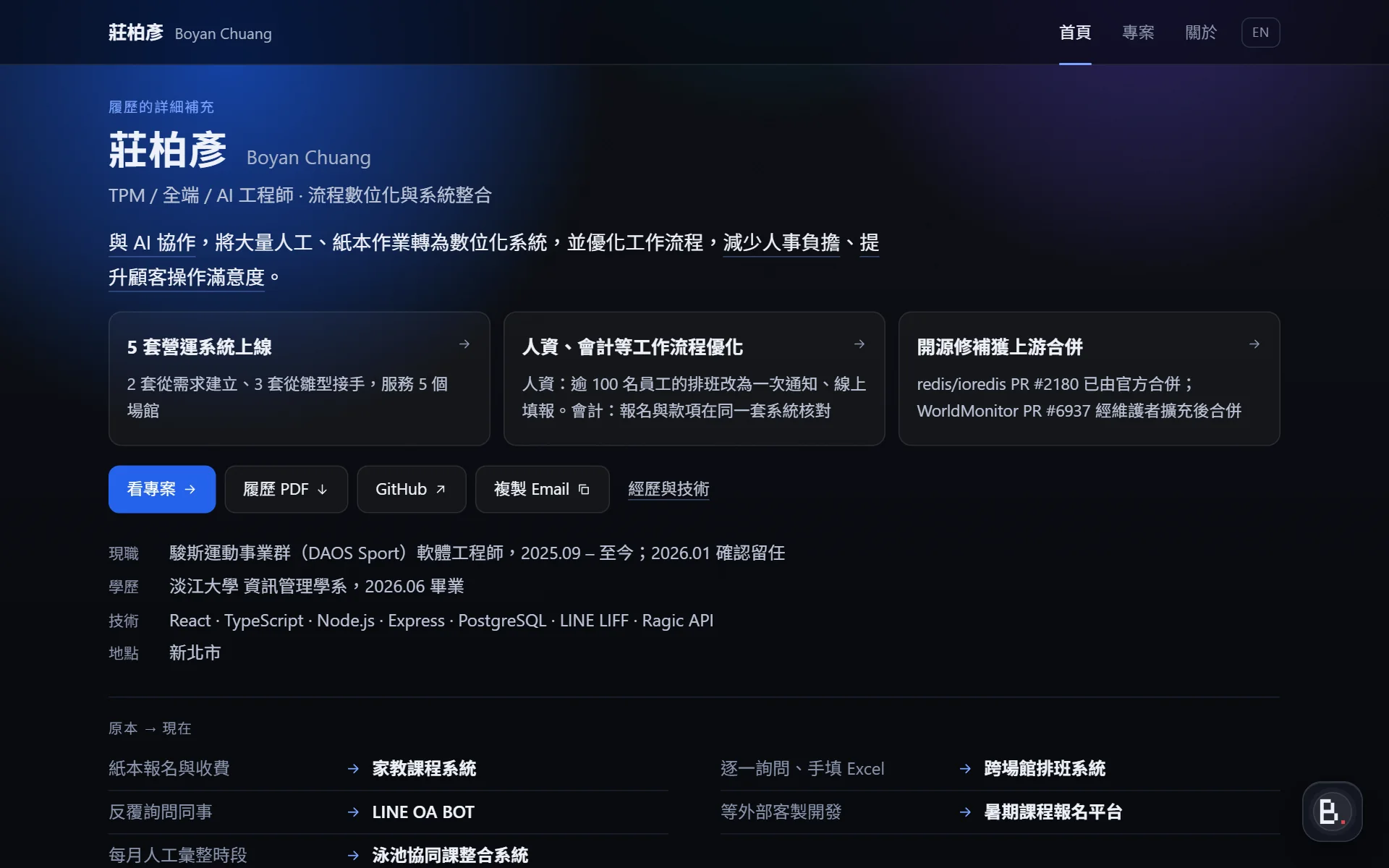
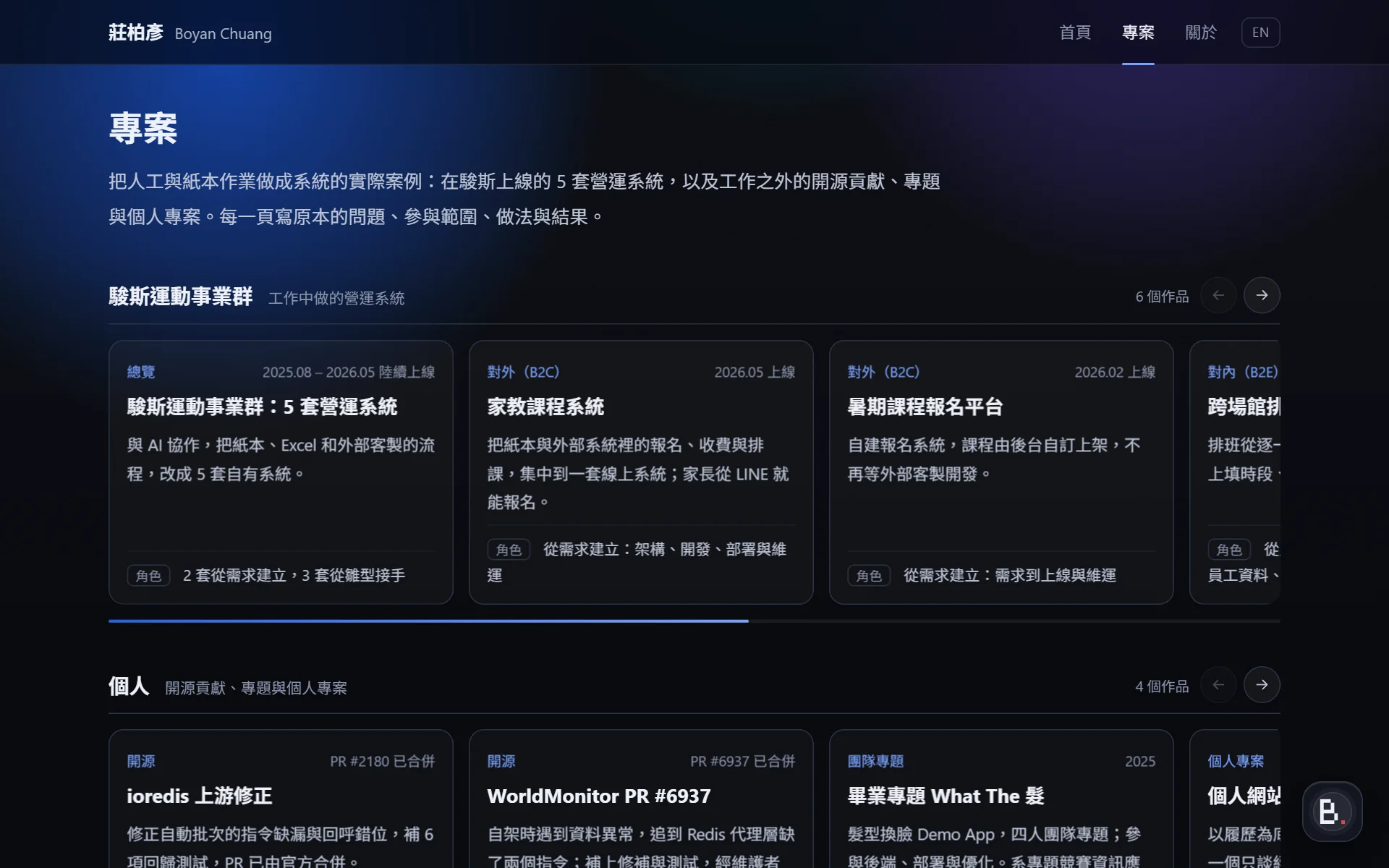


- Outcome
- Static pages can be read in full without scripts; the site Q&A quotes only page text and attaches sources
- Role
- Personal project: content, design, development and deployment
- Period
- Ongoing
- Tech
- Astro · TypeScript · Markdown · CSS · Node.js · Cloudflare Workers · Jev(TypeSafe)
Purpose A detailed supplement to the résumé
The résumé is a single page; this site supplements it. The home page holds the few most important records, the project pages are split into two groups, DAOS Sport and personal, with one page per project, and the About page is the full version of each résumé field.
Content is mostly text, stating each project's problem, scope of participation and approach, with verifiable sources such as PRs or university records attached wherever possible.
Stack and where each is used Static pages in two languages; scripts only for the site Q&A and the screen carousel
| Technology | Where it is used |
|---|---|
| Astro | Generates all static pages (one set in Chinese, one in English); reads content files through content collections; outputs the knowledge base for the site Q&A, the sitemap and llms.txt at build time |
| TypeScript | Content field definitions, page logic, and the front-end scripts for the site Q&A, the screen carousel and the horizontal card rows; type-checked before build |
| Markdown | One content file per project and one for the About page; section headings double as page anchors and as knowledge passages for the site Q&A |
| Zod | Validates the fields of content files, such as group, role, period and tech |
| CSS | Site-wide styles and page motion are hand-written, with no CSS framework or animation package; colors, type sizes and column widths managed with variables |
| Native browser APIs | Site Q&A window: questions sent with fetch, conversation kept in sessionStorage. The screen carousel and card rows use native horizontal scrolling and scroll-snap. No front-end framework |
| Jev (TypeSafe) | Intent, topic and evidence judgments for the site Q&A; the API key is kept on the server only |
| Cloudflare Workers | Production site: static pages and security headers; a Worker handles the site Q&A endpoint (origin checks, hourly and daily limits, Jev calls) and anonymous visit statistics |
| Cloudflare D1 | Q&A limit counters and visit statistics; counts and hashes only, no question content or IP addresses |
| Node.js | Build and automated checks of content, links, structured data and Worker behavior before each deployment |
| JSON-LD | Structured data on every page (Person, WebPage; project pages add CreativeWork and breadcrumbs) |
Pages can be read in full with JavaScript turned off, and no font files are loaded.
How the site Q&A works Retrieve first, then Jev judges, then code decides the reply
The site Q&A is a small RAG with four steps:
- Pre-check: code first blocks sentences that clearly ask for secrets or try to rewrite the rules, and masks email addresses, phone numbers and keys.
- Retrieval: candidates are found among the public passages by keyword and term overlap.
- Judgment: the question and candidates go to Jev (TypeSafe's judgment model, which returns only classifications and probabilities and generates no text), which settles intent, topic and whether each passage really contains the answer in a single request.
- Reply decision: based on the judgment, code chooses between quoting a passage, offering contact details, declining, or stating that public information is insufficient.
Replies are always the original page text with a source link, never freely generated.
To read the code behind each step and the passages of the knowledge base, open the Q&A graph.
Development and verification Built with AI collaboration and checked in layers
- Developed with Claude Code; content checked item by item against the résumé.
- Type checking and build with zero errors before any further checks.
- Static output checks: navigation, links and anchors, copy rules, and whether knowledge passages come verbatim from the pages.
- Offline tests of site Q&A decisions: a fixed question set checks retrieval and each reply path.
- Fixed question set against the real Jev, and acceptance testing in a real browser (Playwright).
Technical details Knowledge base and retrieval
The knowledge base is not maintained separately: at build time each section of the project pages and the About page becomes one knowledge passage, so the site Q&A can quote only what the pages say.
Retrieval uses no vector database. The question is split into English words and Chinese two-character terms and compared with passage content for overlap; section keywords, project aliases, the topic of the previous question and the current page are added. The 10 highest-scoring passages go to the judgment step.
Technical details What Jev judges
Jev is TypeSafe's judgment model: it returns only typed answers and probabilities and generates no text. One request asks four kinds of questions:
- Intent (Choice): learn about experience and work, make contact, greeting, ask for private or confidential data, unrelated topic.
- Topic (Choice): which project the question is mainly about, or the About page.
- Evidence (Noul, one question per candidate): whether this passage directly answers the question.
- Piggybacking (Noul): whether the question also carries an unrelated request or one asking for private data.
A passage is quoted only when its evidence probability reaches 0.8, and only passages from the same project as the topic judgment. If none reaches the bar but the topic is clear, the remaining passages on that topic are judged once more; if there is still none, the reply states that public information is insufficient.
Technical details Reply types
- Related to experience or work, with a passage that contains the answer: quote the passage with a source link.
- Wants to make contact: show contact details; a message can also be left directly.
- Unrelated to experience or work: no answer; the visitor is asked to ask about experience, projects or technology instead.
- Asks for private or company-internal data, or for terms such as salary: declined, with a request to make contact directly.
- Related but public information is insufficient: states there is no basis and does not guess.
Technical details Contact details and the question limit
When Jev judges the intent to be contact, the site Q&A shows email, phone and résumé download; selecting the email copies it.
The message field is not open yet: until a delivery channel is in place, the site Q&A only offers the contact details above and collects no messages. Questions are not stored either. To prevent abuse, each IP address can ask up to 20 questions within an hour, counted from the first question.
Technical details Server, quota and boundaries
The site Q&A endpoint is a Cloudflare Worker: it accepts requests sent from pages of this site only, and limits question length and format. Each source (an IPv4 address or an IPv6 /64) can ask up to 20 questions within an hour, counted from the first one; the whole site also has daily caps on questions and on calls to Jev, counted in Cloudflare D1. When the daily cap on Jev calls is reached, or Jev is unavailable, the site Q&A falls back to keyword retrieval and says so.
Submitted questions are passed to TypeSafe for judgment; this site does not store question content, and the counters keep only a daily hash of the source, never the IP address. The API key is read inside the Worker only and never appears in pages, replies or logs. The site Q&A covers only public experience, work and the technology of this site, and has no ability to run commands or query internal systems.
Technical details Layout and motion
The layout is deliberately plain: dark background, sans-serif type, a single column of body text. The header is the name plus three tabs and a language switch, with the current page marked by an underline; a blue gradient glow sits at the top of the page and fades out downward. The project index lays out each group as a row of cards that scrolls sideways; on project pages with screens, an auto-playing carousel starts on the third line and can also be swiped.
Page motion is done in CSS, with no canvas or WebGL: the background glow drifts slowly; on page change the content fades out and in and the tab underline slides to the new tab (view transition); on inner pages, paragraphs fade in as the page scrolls (scroll-driven animation). Carousel autoplay and the transitions of the site Q&A window are handled by a small amount of script. When the system is set to reduce motion, everything stays still.